
 PixelSpy
 DoseBell
 Markloom
 Tandem Names
Speak it. Get reminded. Hear yourself.
Voice reminders for iPhone
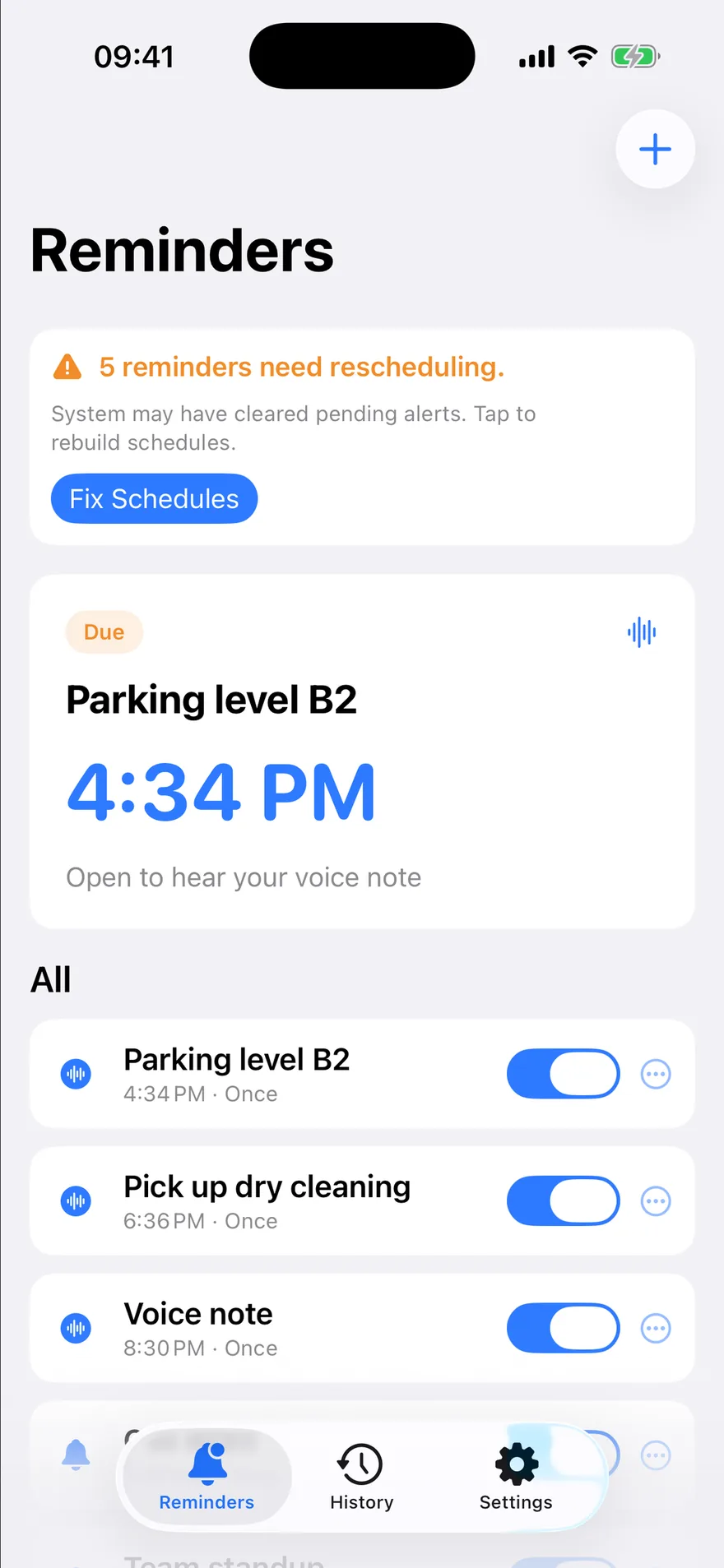
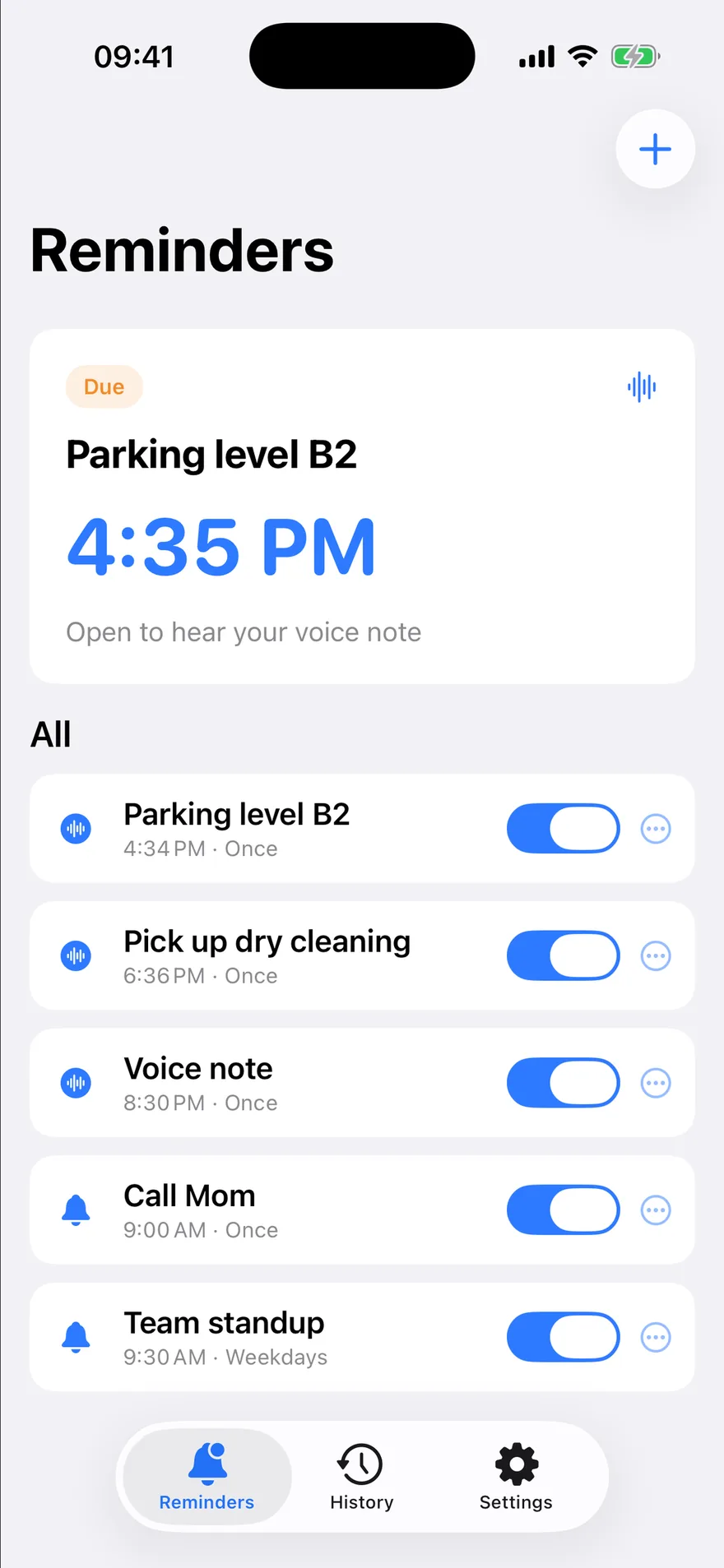
Lightning Voice is an on-device voice reminder app. Speak what you need to remember, set a time, and get a local notification when it’s due. Open it to play your full voice note — then tap Got It.
01 — Capture
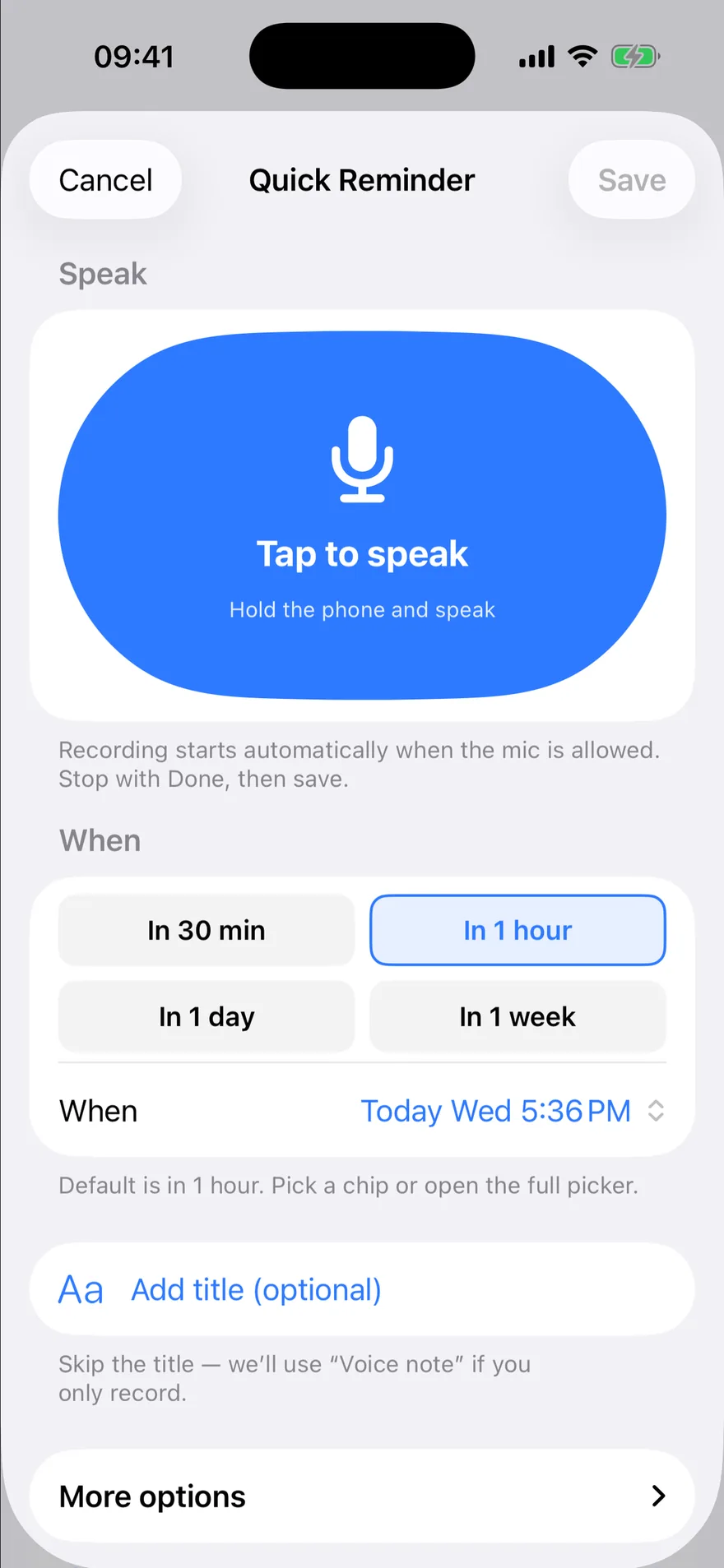
Speak faster than typing.
Record a short voice note and attach it to a reminder. A title is optional when a voice note exists. Quick chips like 30 minutes or 1 hour set the time; weekday repeats live under more options.
“Call the dentist back at 3” · 0:04
02 — Remind
A notification, right on time.
Alerts are generated on the device. The banner is a short nudge — the full voice note plays after you open the reminder, and auto-play can be turned off.
03 — Follow through
Hear it. Got it.
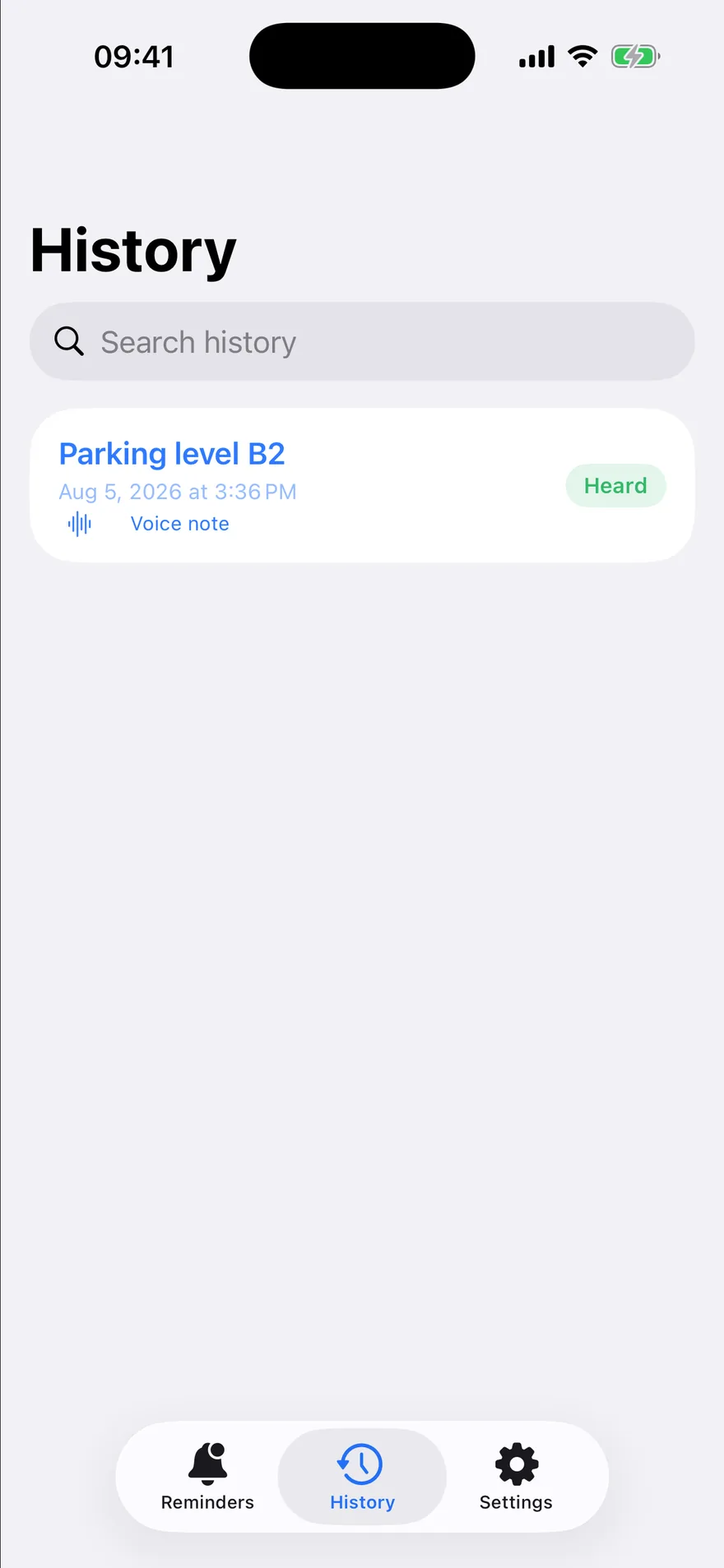
Got It marks the firing handled. History keeps heard and missed items on this device, and a home-screen widget always shows the next reminder.
Features
For moments when typing loses
Hands are busy
Cooking, driving, carrying — speak the reminder instead.
Water the plants
One-off nudges with quick time presets.
Follow-ups
“Call the dentist back” at 3 pm, in your own words.
Medication
Hear the instruction, not just read it.
Pricing
Free to start. Upgrade only if you need it.
Free
Free- Speak → schedule → notify → play → Got It
- Up to 10 reminders enabled at once
- Unlimited in-app voice notes (device storage applies)
- Full history on this device
- Widget for the next reminder
Lightning Pro
from $0.99/mo- More than 10 reminders enabled at once
- Monthly $0.99 · Yearly $4.99 · Lifetime $9.99 (US list)
- Yearly includes a 7-day free trial for eligible new subscribers
US list prices; other storefronts convert locally. The Apple purchase sheet is authoritative. Manage or cancel in iOS Settings → Apple ID → Subscriptions.
Prices are confirmed on the Apple purchase sheet before you buy. Restore Purchases is available in the app.
Privacy
- Reminders and recordings stay on the device.
- No Zero Ordinal cloud sync and no account.
- The microphone runs only while you record.
FAQ
FAQ
How does Lightning Voice work?
Does the notification play my full recording?
Will I always be alerted on time?
Where are my voice notes stored?
Does the app listen all the time?
How do I manage Lightning Pro?
Your next reminder, in seconds
Speak it once. Get notified on time. Hear it back in your own voice.